A long awaited successor to the CyberDrain CTF came through a message in the #cipp-announcements Discord channel, it read:
Hey everyone,
We have a pretty big announcement to make, If you liked the CyberDrain CTF then this news is for you.
Each year we used to do the CyberDrain CTF, and we had so many of you that loved every moment of it. It was challenging, it was creative and it struck a nerve with many; sometimes to the point where I got DM’s of people that had checked into the local sanitorium.
The biggest challenge we’ve had with the CyberDrain CTF was finding time to organize it, and finding methods to keep it engaging. I’ve spoken to my dear friend Nick Ross over at Cloudcapsule about this and we’ve found a way to give you all that amazing hit of the CyberDrain CTF, but on-going.
We’re very proud to unveil our collab today. I would like to introduce you all to the new evolution of the CyberDrain CTF;
Blue Team Labs is a collab between CloudCapsule, Empath and CyberDrain.
It is an ongoing, constant CTF, currently specializing in M365; But we’ll also have special seasons. Each season is an ongoing event like the CyberDrain CTF with more challenges, more skill based learning, and exciting new features.
Oh the best part? Still 0 cost, no barriers. Just login and go.
There are current challenges available so sign up immediately. The first person to reach the maximum points gets a free ticket to MSPGeekCon.
Want to talk about BTL? Check out #blue-team-labs - As always, we’ll be around to chat to, to enjoy your suffering when not solving challenges, and to see if you find all our breadcrumbs.
Happy CTFing!
Of course we signed up right away, skimmed the website, the challenges and categories and then invited our friends and colleagues. There were lots of different challenges to solve - I picked one and was provided with a mission briefing, a log viewer with tabs, then a dozen or so questions related to the brief and logs.
Free Answers, Free Hints
After loading the page for the first challenge, the first thing I did was open up Developer Tools with Ctrl+Shift+i and switch to the Network tab. I answered the first question and… that’s weird. It didn’t even send a network request to verify my answer, yet somehow told me my answer was correct.
You know what that means? The answers had to have already been provided to me when the page loaded, so let’s copy the success text, refresh the page, and search for it in the Developer Tools. Sure enough, the questions come down along with their own answers and other metadata.
Since attempts weren’t sent to the server after they were selected, this also meant that wrong answers and hints didn’t reduce your score until you submitted the page. So you could answer the question incorrectly, be given hints which normally reduce your score, then simply refresh the page, and there was no record of you being given the hint or answering the questions incorrectly. Giving you unlimited attempts at a perfect score.
Separately, the data used to populate the mission briefing included a solution_walkthrough which basically gave you all or nearly all of the answers:
{
    "id": "cccc1111-1111-1111-1111-111111111111",
    "title": "Mailbox Forwarding Audit",
    "slug": "mailbox-forwarding-audit",
    "difficulty": "Easy",
    "points": 100,
    "category": "Incident Response",
    "tags": [
        "Email",
        "Forwarding",
        "Exfiltration"
    ],
    "estimated_time_minutes": 15,
    "completion_count": 158,
    "mission_briefing": "The security team at Contoso Ltd has received an alert about potential data exfiltration. An employee in the Finance department reported that emails seem to be \"leaking\" to external parties.\n\nYour task is to investigate the inbox rules and mailbox settings to identify any unauthorized forwarding configurations. Review the evidence below to find the suspicious rule and answer the investigation questions.",
    "solution_walkthrough": "The investigation reveals that user Sarah.Johnson had an inbox rule created that forwards all emails containing \"invoice\" or \"payment\" to an external Gmail address. This is a classic BEC indicator where attackers create silent forwarding rules after compromising an account.",
    ...
The questions then asked which user had an inbox rule created, what emails it contained, what type of attack is this… when all of the answers are given right in the solution_walkthrough.
All of these issues were reported to the organizer, and were promptly fixed.
Unlimited XP
I’ve found dozens, maybe hundreds of profile pages from line of business applications to web games, to printer and router web GUIs which do not properly validate a chosen country. I noticed right away that the leaderboards showed the country, so let’s poke that too. While proudly keeping Canada in the top place, I temporarily changed my country to Eh? and saw the PATCH request in the browser’s Developer Tools:
https://gpbrjmktiauzlrtcbsaz.supabase.co/rest/v1/profiles?user_id=eq.ba6e4ea7-2d83-47af-97b5-8eb2df661ae7 which had a body that looked like this:
{"country":"Eh?","default_avatar_color":"red"}
I can see that a GET request to that same URL returns more fields. If it lets me PATCH the country, maybe it lets me PATCH other fields, let’s see what this does:
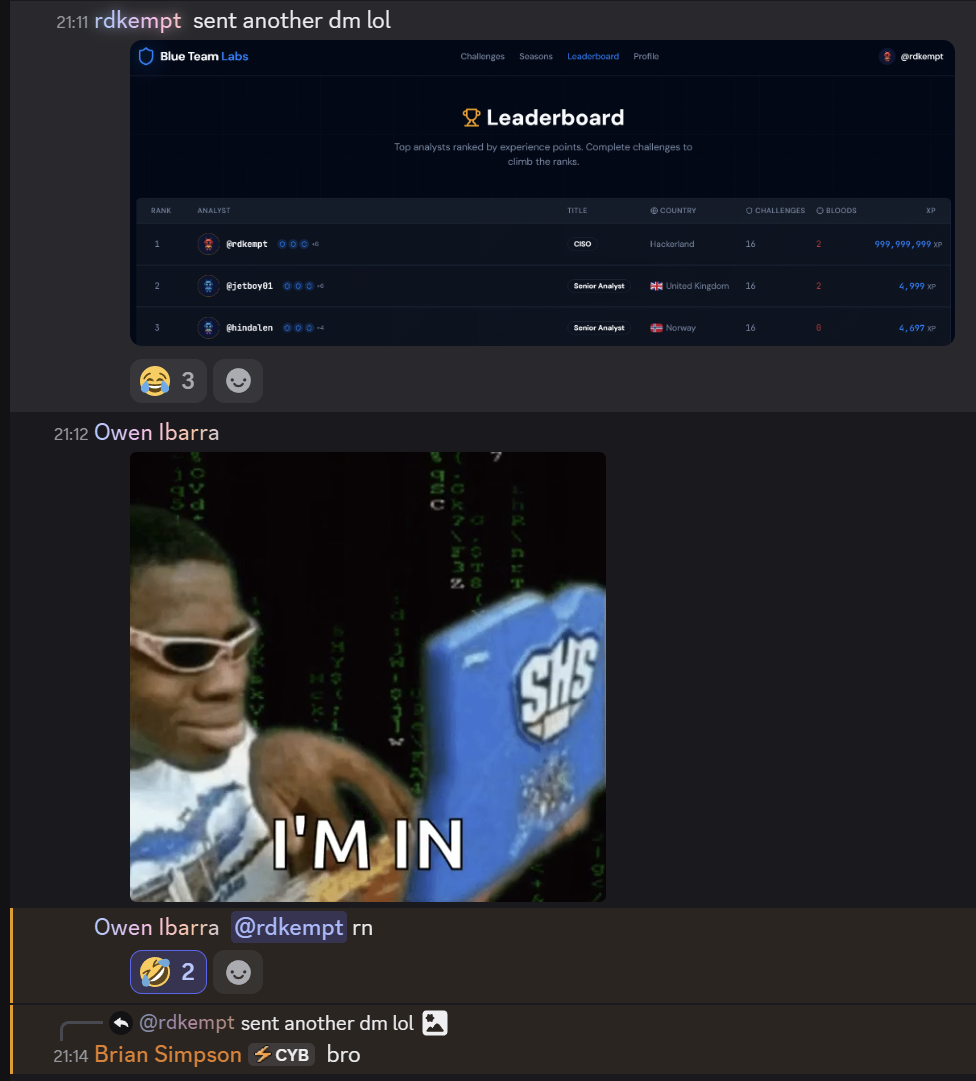
{"handle":"rdkempt","avatar_url":null,"xp":999999999,"country":"Hackerland","default_avatar_color":"red"}
Ok that’s pretty cool, it got a good reaction from the Discord too:
URL Injection
I noticed that the avatar_url was able to be patched, and it caught my attention because it’s going to cause anyone viewing my profile or the leaderboard to make a request to whatever address I put there. But first, I want to know whether or not I can turn this into XSS.
I tried the obvious sort of payloads, <img src=x onerror=alert(1)> and other variations like javascript:alert(1), or trying to escape the tag. Nothing. This isn’t particularly surprising either, modern browsers don’t execute JavaScript just because it was supplied as the source of an <img>.
SVG was another tactic, which didn’t lead anywhere interesting either. Modern browsers deliberately treat SVG loaded as an image differently from SVG loaded as a document. In an image context, scripting is disabled, so while SVG can contain JavaScript, putting SVG inside an <img> tag does not give the JavaScript access to the page containing the image. This is the part where it’s tempting to say that browsers are so much safer now, but XSS still works perfectly well when you actually get an HTML injection. The problem here was… that we didn’t have that. The application was giving me control of an image URL, not control of the HTML surrounding the image.
However, setting the image address to a logging server would allow someone to capture details about their competitors that players should not have access to.
We are all about that responsible disclosure here, so that’s exactly what was done throughout these discoveries, you can see it in the Discord message - we want to win a fair competition. It wouldn’t be fun to lose to someone who is cheating, and it wouldn’t be fun to win like that either. It’s a lot easier to verify that nobody else can cheat than it is to trust that nobody will.
The developer was very responsive, resolving these issues in preparation for the first season launch which was approaching.
Supabase Leaks
I’ve used Supabase for several hobby projects, I know it’s built on top of Postgres, which is something I’ve used for decades. I remember one of the first documents I read after signing up to Supabase was their Row Level Security page. I didn’t read all the docs from top to bottom, but I had read most of them, and either didn’t read the part or just completely forgot about it… but every single API endpoint is basically publicly exposed. A GET request with the appropriate headers to: https://gpbrjmktiauzlrtcbsaz.supabase.co/rest/v1/ shows you all the endpoints you can hit, so that is exactly what I did. I wrote a small script which fired off all sorts of requests to every endpoint and marked anything that should be investigated further. I reported everything I found, some things though, weren’t as easily resolved and left alone, which allowed me to…
Finding Hidden Accounts
One of the endpoints that caught my eye was: https://gpbrjmktiauzlrtcbsaz.supabase.co/rest/v1/user_roles. It prints a user_id and a role, you can’t PATCH it, but a GET request does pull down all of the administrators’ user_ids, which are normally not visible on the frontend. Using the discovered user_ids and making a request to https://gpbrjmktiauzlrtcbsaz.supabase.co/rest/v1/profiles_public returns the created_at dates, country, handle and other details of the admin accounts.
Everything I’ve been able to find which could lead to an unfair competition seems to have been plugged properly at this point, so while we wait for season one to start… let’s look around the frontend and see if there’s any artifacts in here.
Admin Panels
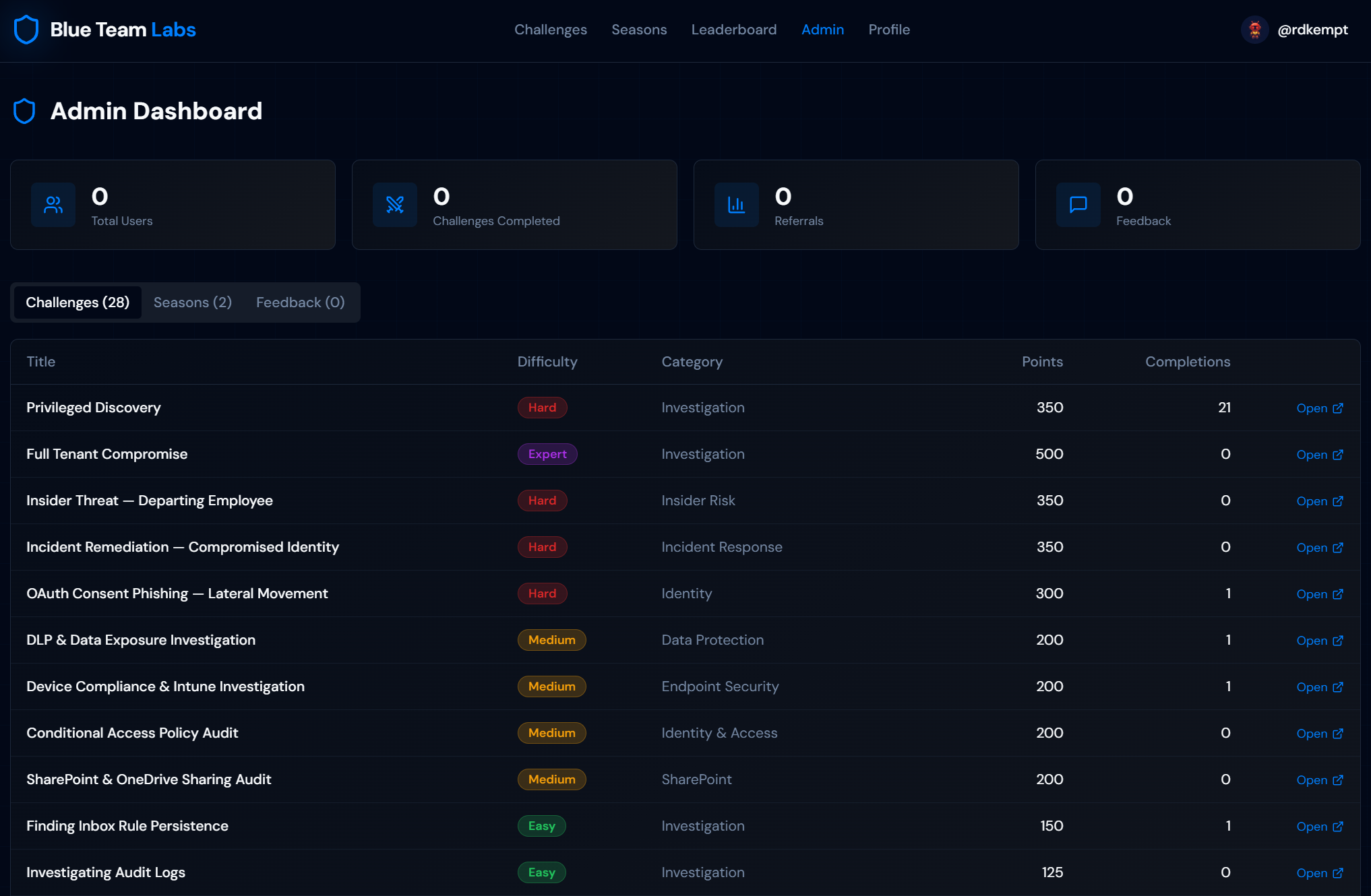
I’ve seen lots of admin panels, well, I’ve also built a lot of admin panels. I’m not sure what I was expecting, but, this makes sense… not all of the data loaded because the backend endpoints were properly restricted, but an interesting view anyways. By this point the low-hanging fruit was gone, the RLS policies were doing their job, and I was reduced to admiring a mostly-empty admin panel I had no business seeing. A good sign, and my cue to stop poking and start playing the CTF the way it was meant to be played.
Winning Season One
The first season officially got announced on March 16th, 2026:
…we have the very cool news that the BlueTeamLabs has started its first season! Go register now and kill it at the CTF! In operation Blue Shell you’re reacing through 12 challenges, and the winner gets a Nintendo Switch 2! https://blueteamlabs.ai/seasons
The challenges were in the same format as the set of open public ones, we were given a mission brief, then some questions and tabs of evidence which mirror the logs and information you would get from an actual 365 tenant.
Although the challenges were fun, they were short - typically solved in just a couple minutes, and they only came out once a week. So every time a new challenge was unlocked, I attempted to stay up until midnight to solve them in preparation for the last challenge which would likely determine the winner by fastest answer. Most nights, I didn’t make it and would just solve them in the morning. If you’re lucky enough to be old, it comes with going to bed early - I don’t make the rules.
So I made a game plan for the date of the final challenge. I set alarms 10 minutes, 5 minutes and 1 minute before the challenge release. I tell my wife about the final challenge, as I had been telling her about each challenge for weeks prior (she really wanted to play Pokopia and the Nintendo Switch 2 + Pokopia prize was definitely on her mind), so she agrees to stay up with me and cheer me on.
We stayed up, I furiously refreshed the page the moment the challenges were unlocked, skimmed the mission brief as quickly as I could and read through all of the questions. Any general IT knowledge questions were answered and the rest of the questions were understood. Time to get through the evidence - we know what questions we’re solving and what groups of data we’re looking for, now to make quick work of finding it. Ctrl+F and F3 spamming specific keywords got me navigating through the logs quickly and I was able to answer all of the questions without any mistakes.
A perfect score done before any other player got my wife her Nintendo Switch 2 and me a great trophy.
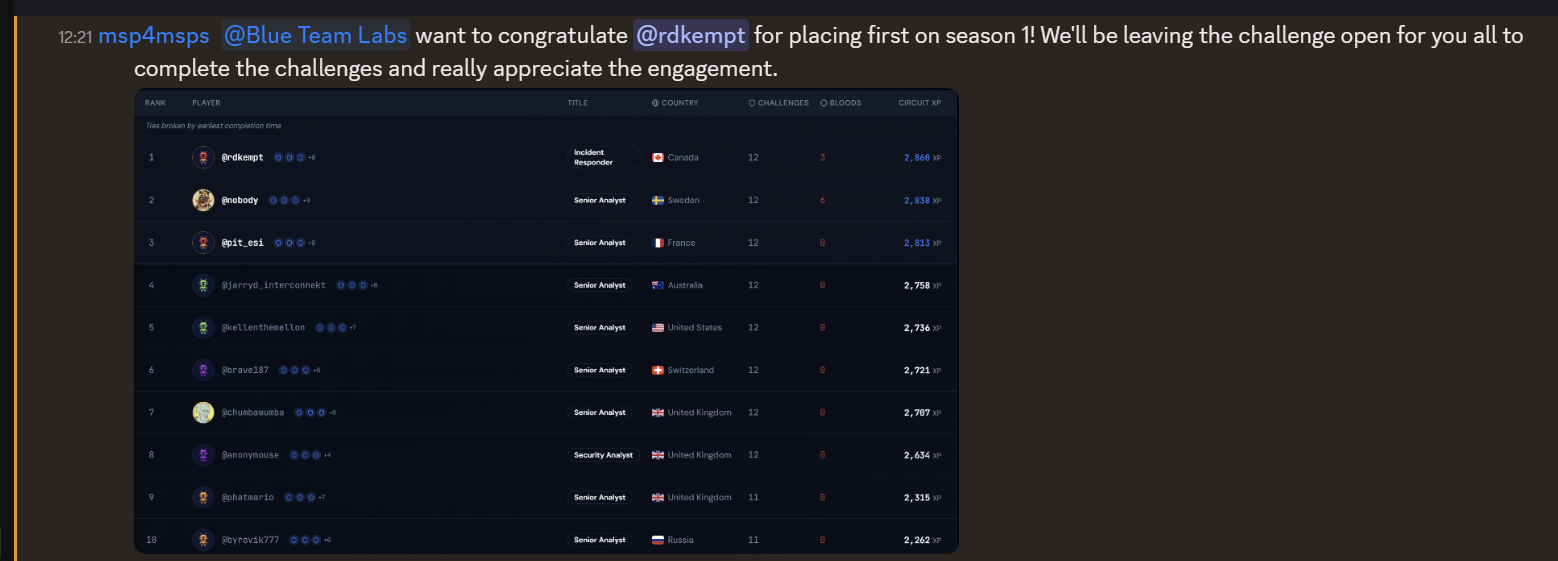
Special thanks to Nick Ross, the CEO of CloudCapsule and creator of T-Minus 365, another thanks to Empath and of course to the good folks at CyberDrain.